
Know what you have, where it is, and when to restock.
Plenia is the supply app for vacation rental teams. Your crew records what they take, on their own phone or a shared tablet. You always know what's running low, your shopping list builds itself, and everything you bill to owners ends up on one monthly report.
Already have an invite? Sign in
Sound familiar?
Supply problems seem small until a guest arrives to an empty coffee basket.
Out of coffee pods at check-in
Someone took the last bag and didn't tell anyone. Now you're making an emergency supply run in the middle of turnover day.
Supplies walk out the door
You stock up for the month and it's gone in two weeks. No one can say which homes it went to, or who took it.
Owner charges slip through
You replaced a guest's broken hair dryer, but it never made it onto the owner's statement. Small misses like that add up every month.
On their phone or a shared tablet. Every item accounted for.
Sign in on any device
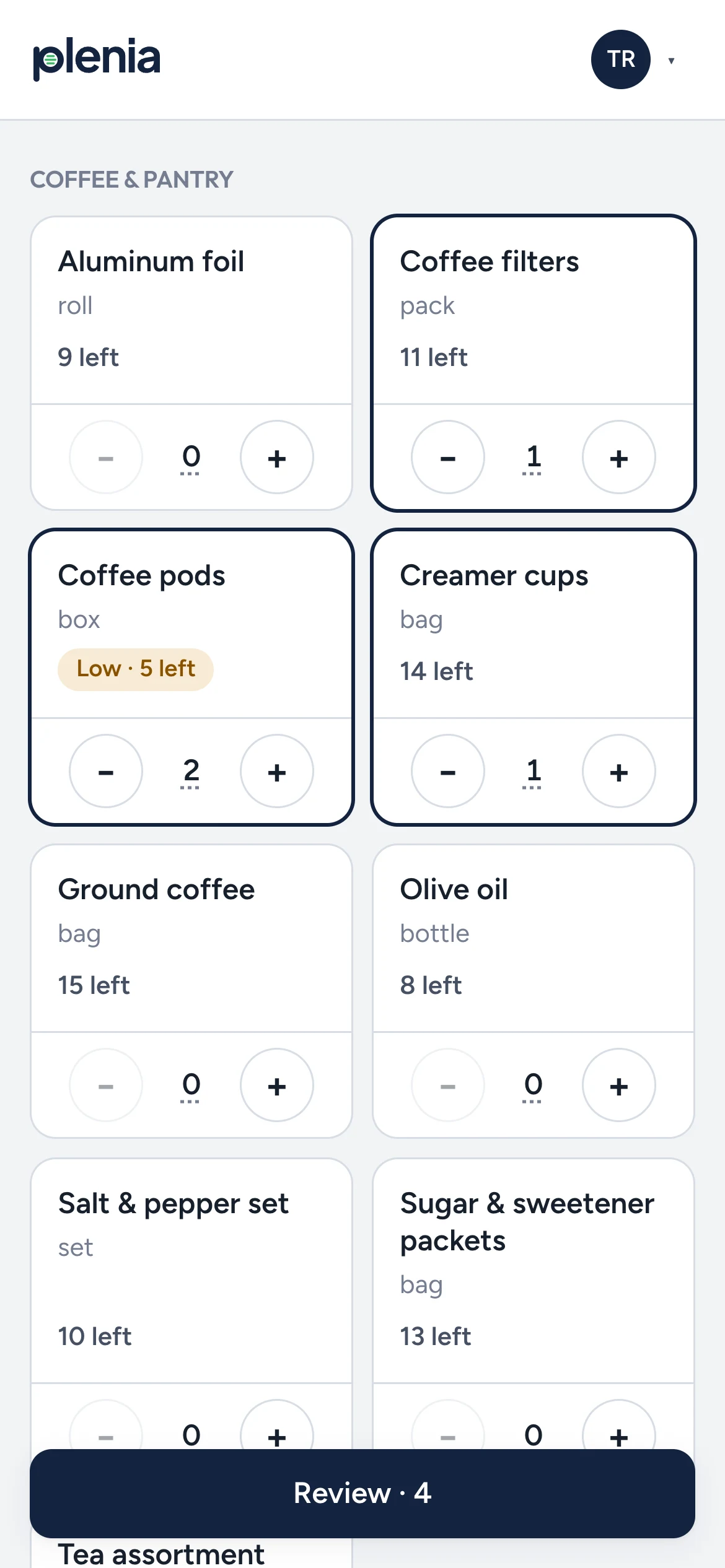
Cleaners and maintenance techs can use their own phone. If you keep a shared tablet with your supplies, they tap their name, enter a 4-digit PIN, and the tablet signs them out on its own.
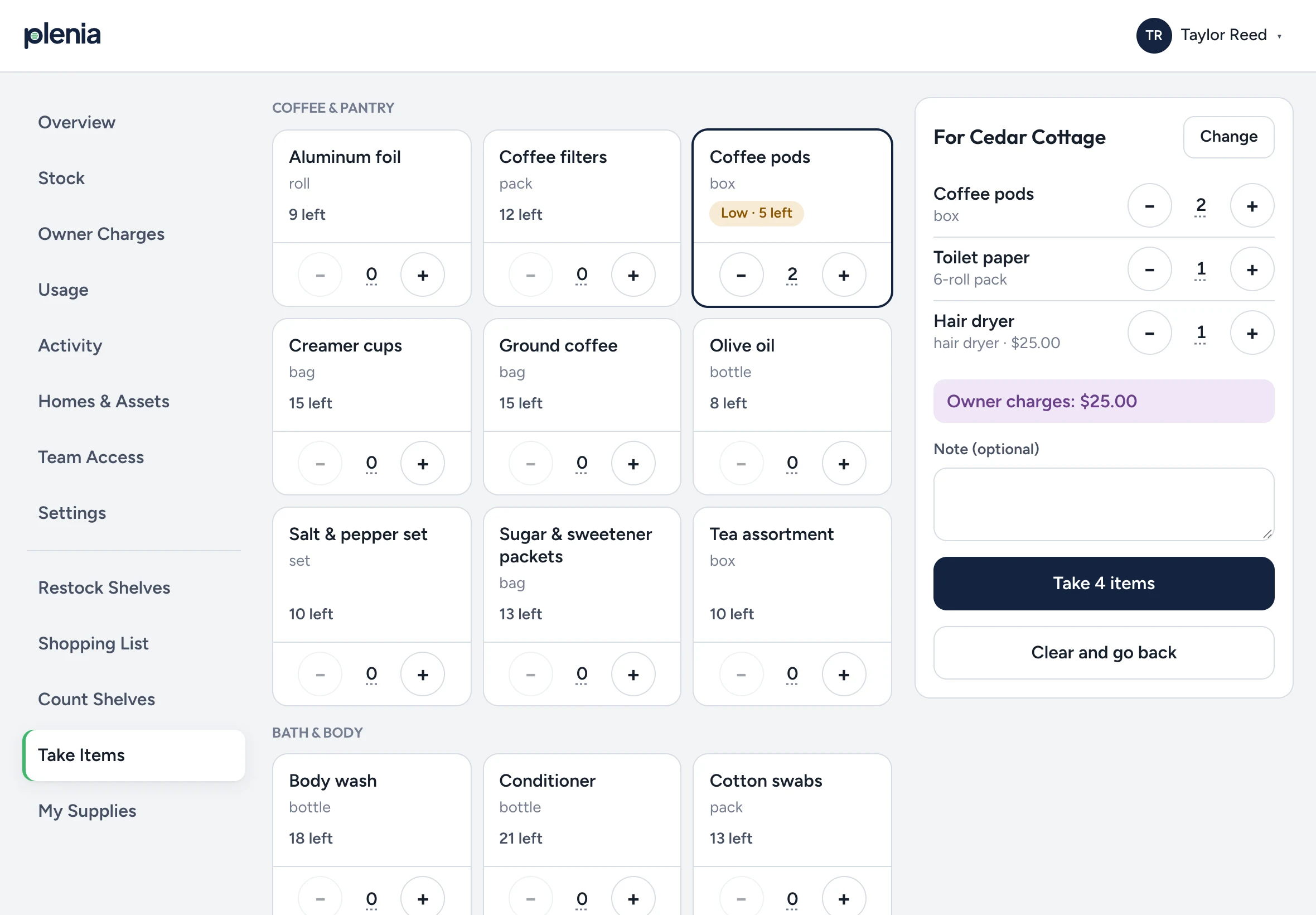
Pick the home, tap what you're taking
Each person sees only the homes and storage locations you've given them. Out-of-stock items can't be picked, so no one can take more than what's on the shelf.
Plenia keeps the books
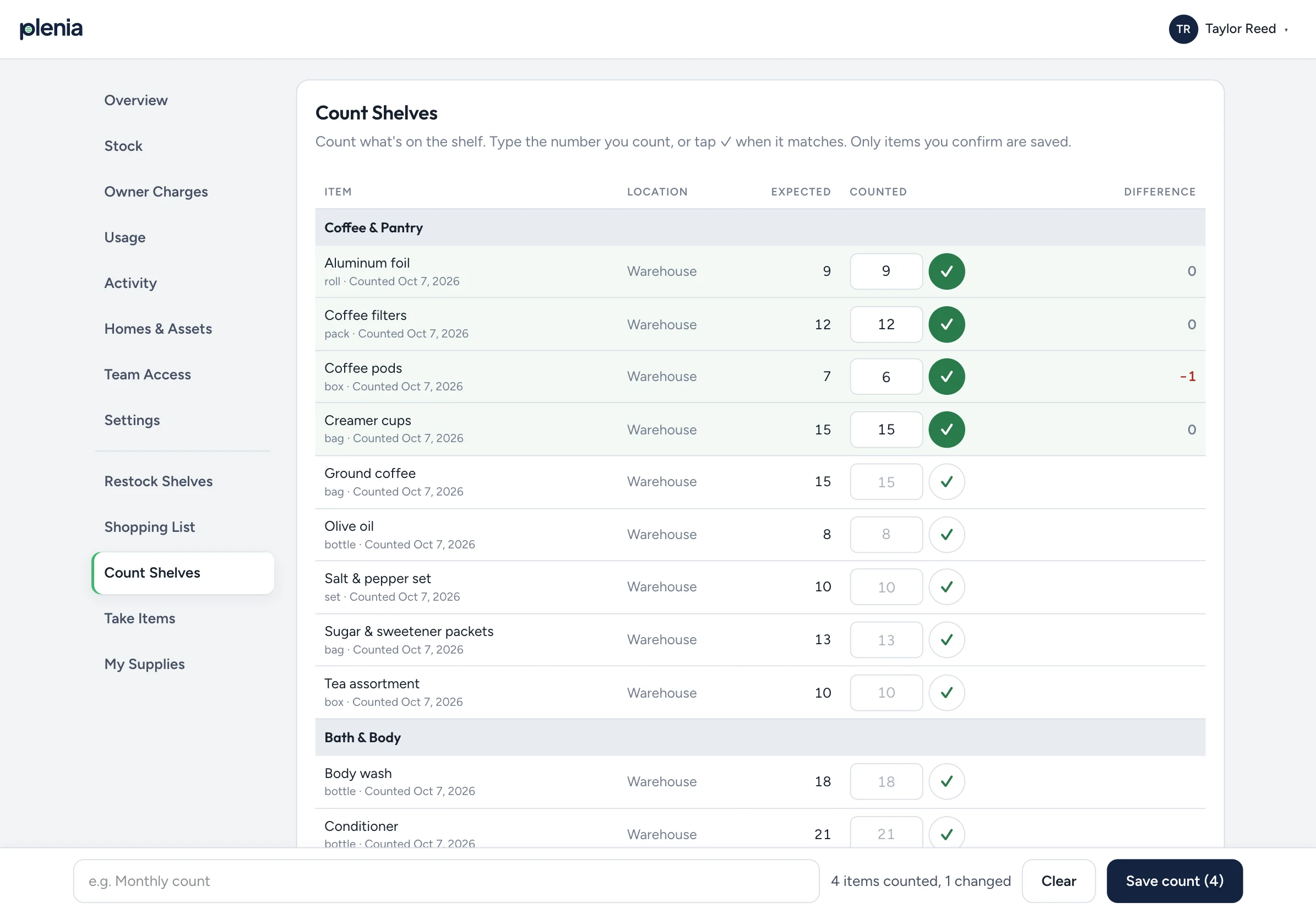
Counts update right away, the reorder list stays current, and anything billable to an owner is saved at that day's price.
The screens your team will use every day.
These are real screens from Plenia, shown with a sample company.
Everything your team needs to stay stocked, nothing it doesn't.
Their phone or a shared tablet
Staff can use their own phone, a shared tablet where you keep supplies, or both. On the tablet, everyone has a personal PIN and is signed out automatically.
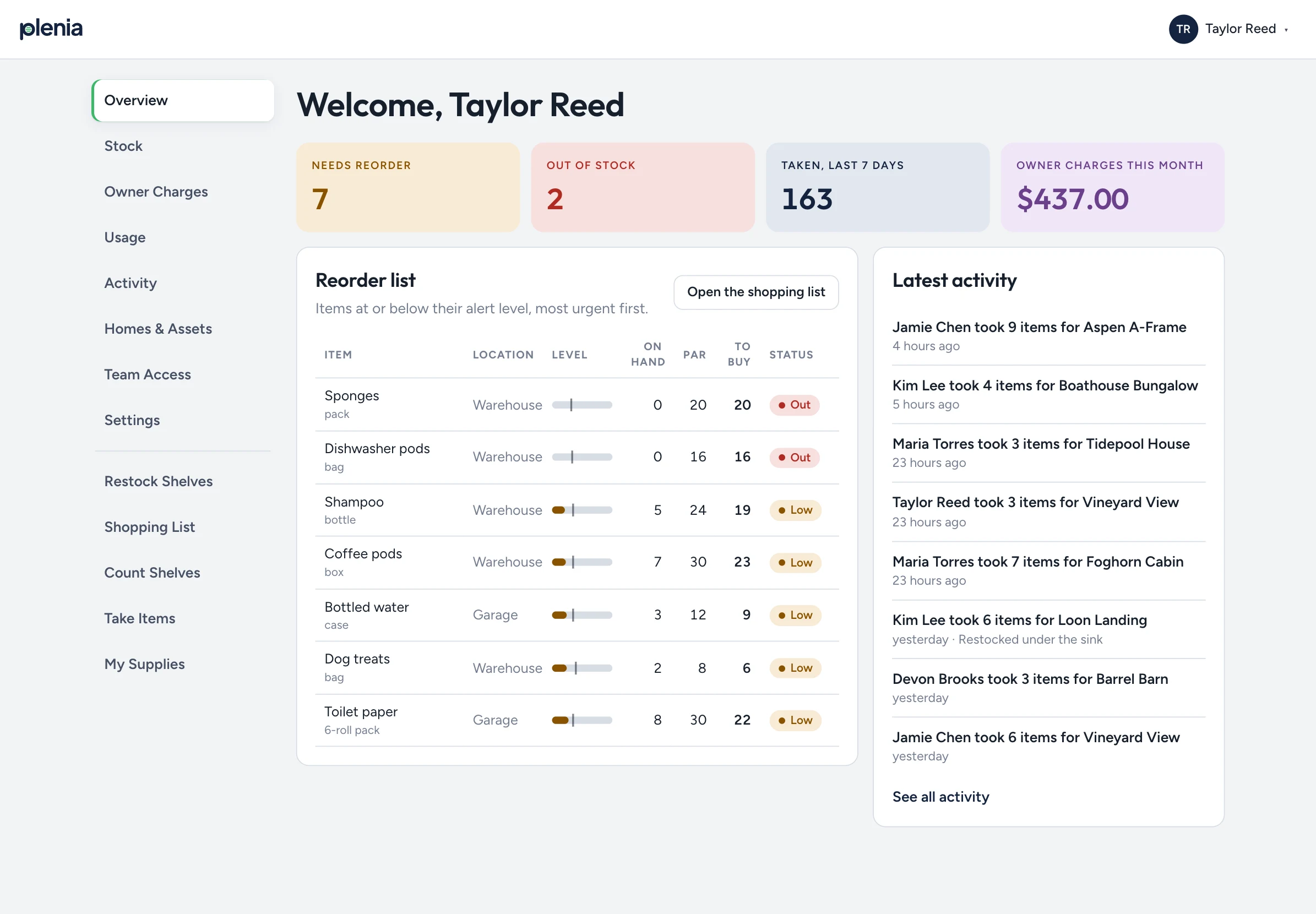
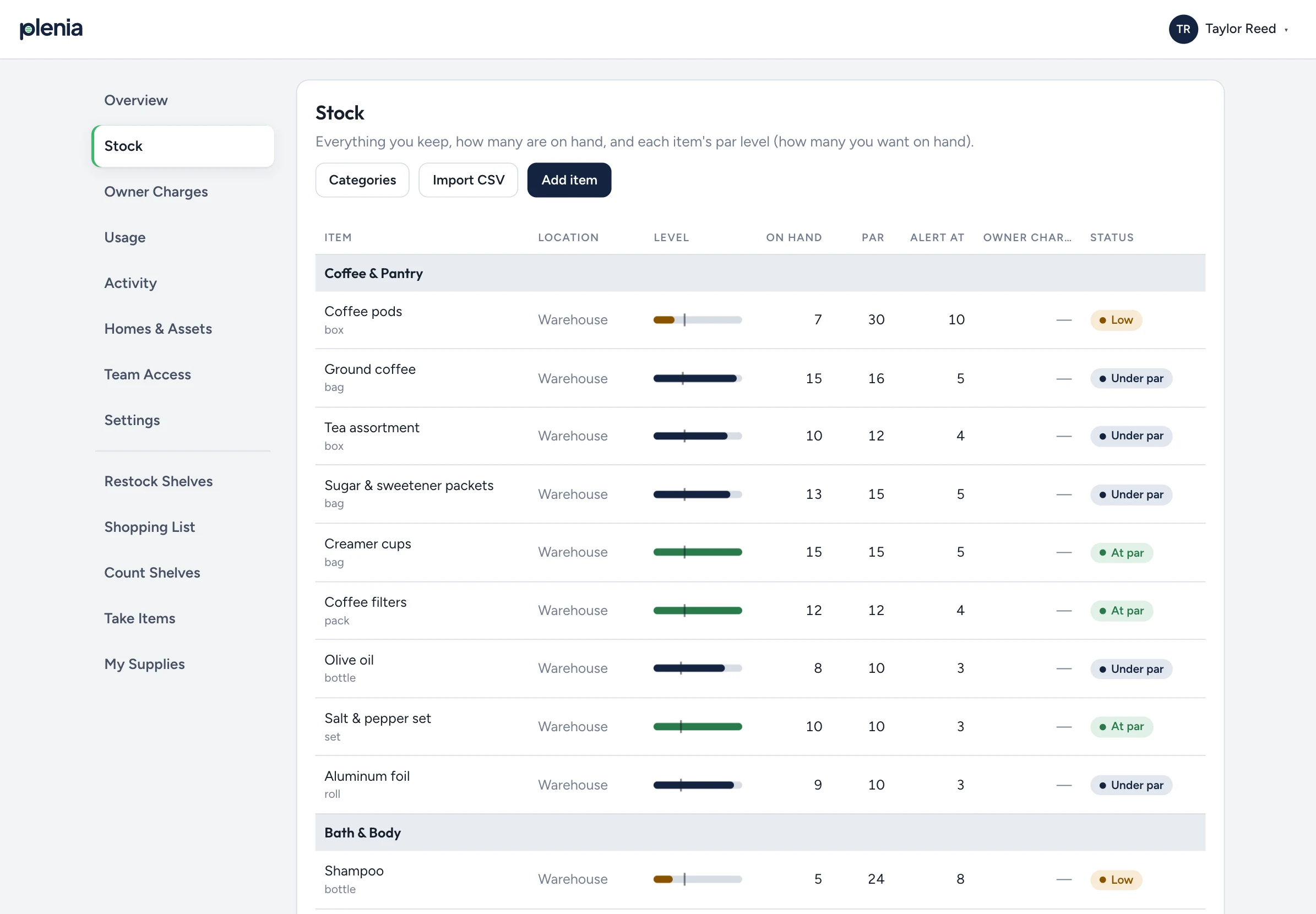
Par levels and a reorder list
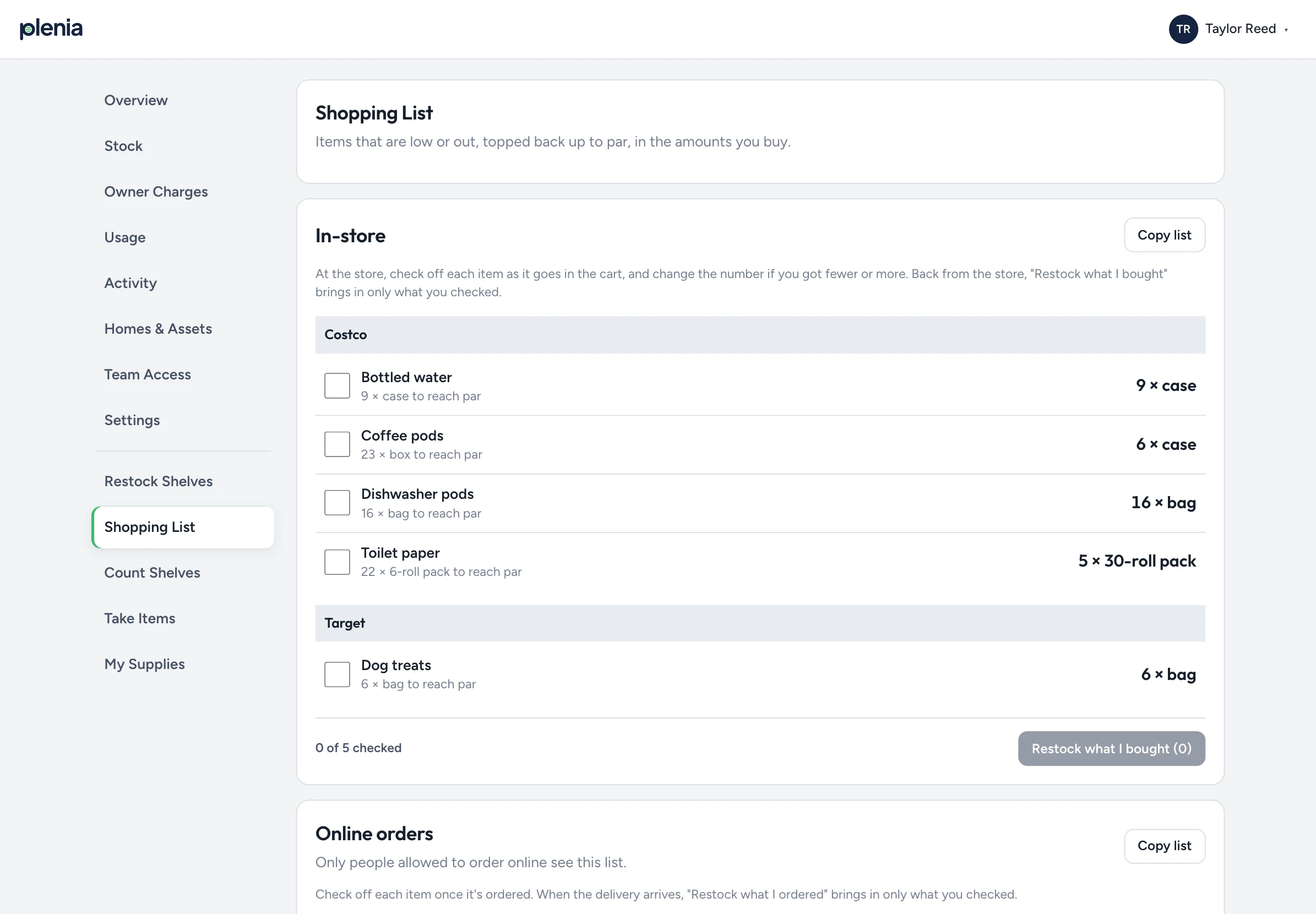
Set how many of each item you want on hand, and when to reorder. Plenia shows what's running low and builds your shopping list, grouped by store.
Shopping trips and restocking
Check items off as you shop, then restock exactly what you bought in one step. Topping an item back up to par takes one tap.
Owner charges, captured
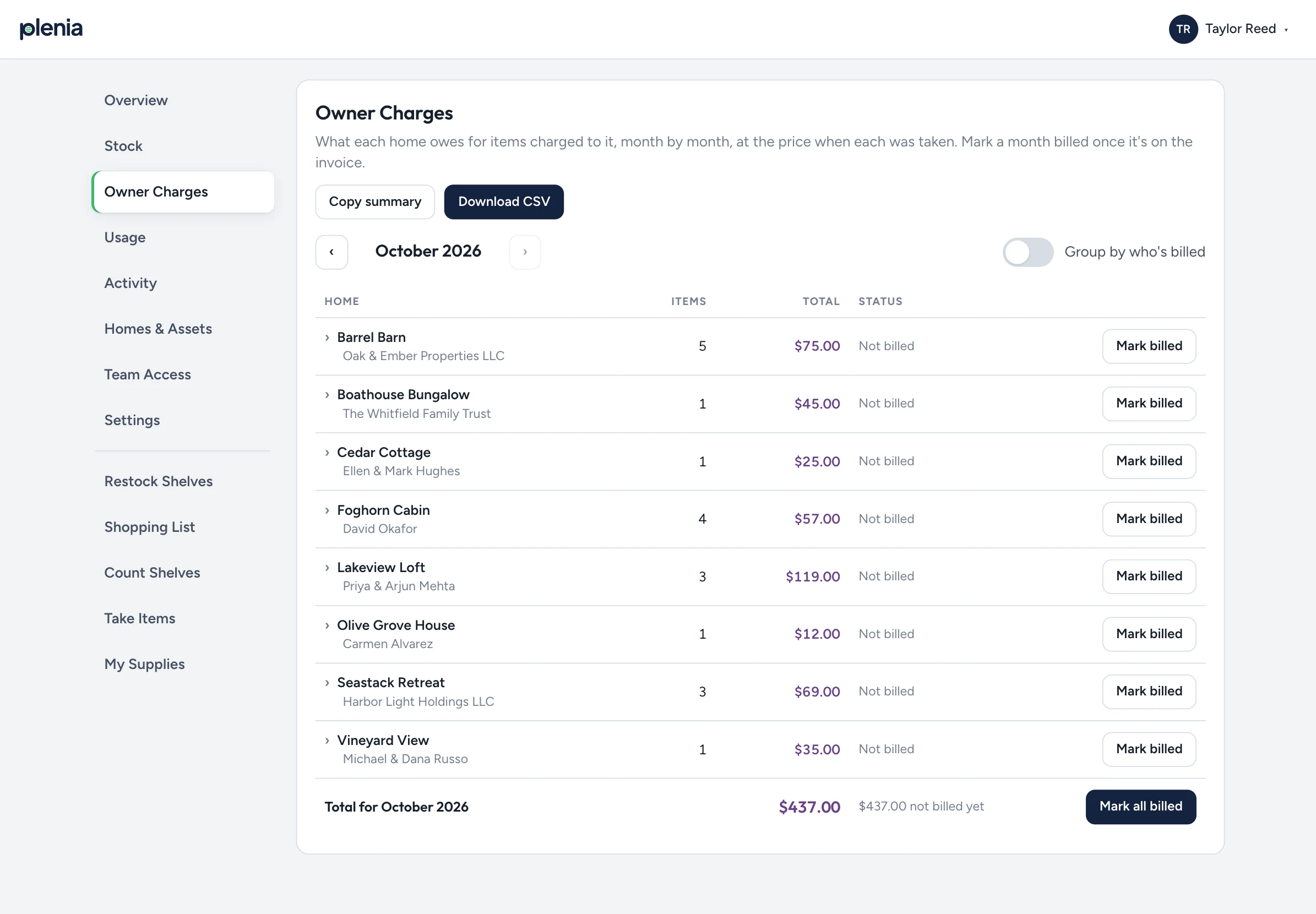
Mark an item as billable and its price is locked in when it's taken. Each month, review charges by home, download a spreadsheet for your accounting, and mark them as billed.
Usage by home and by person
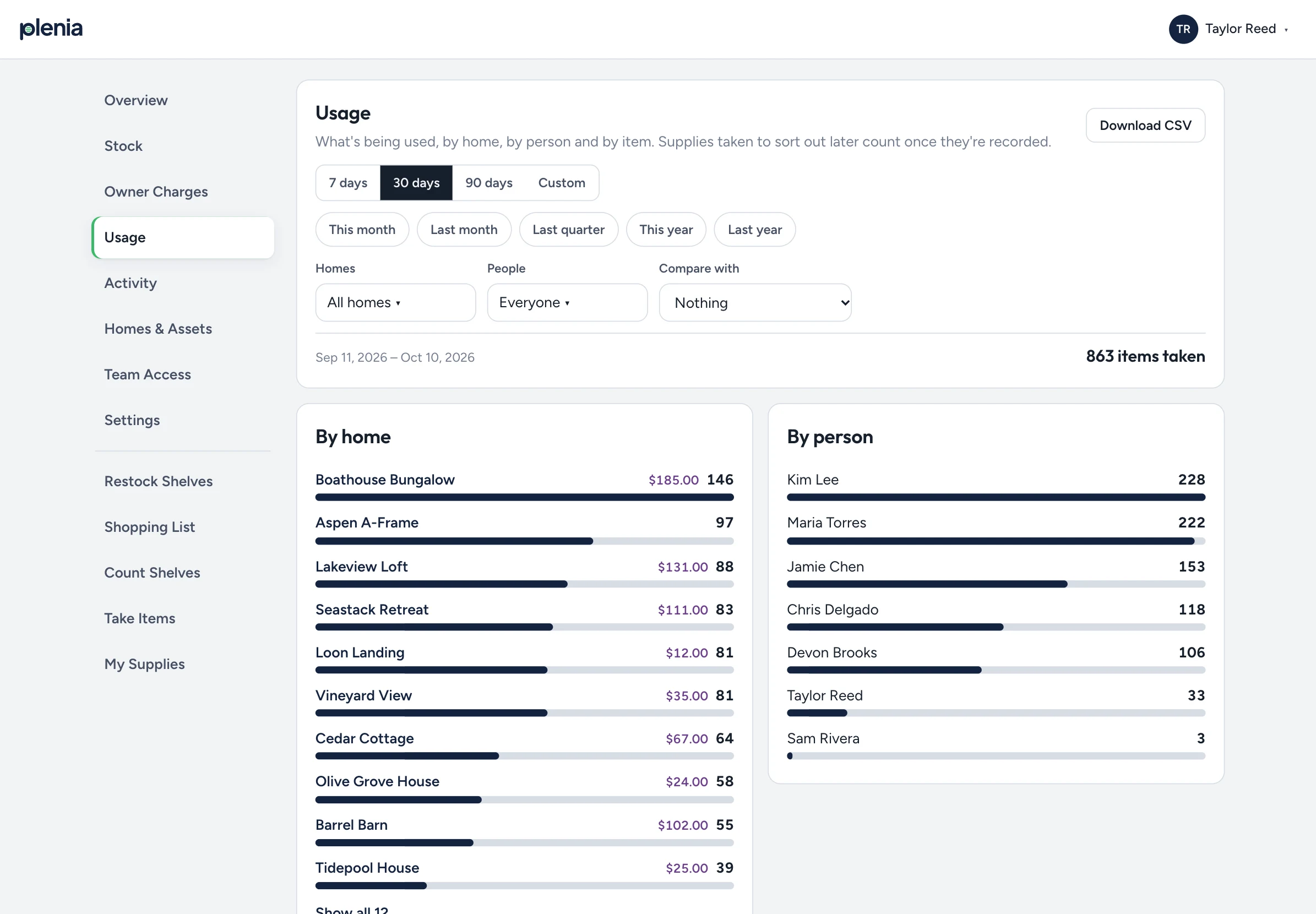
See which homes and which team members use the most. Compare with last month or last year, and download the report.
The right people see the right supplies
Add every storage location, whether it's a garage, warehouse, shed or office. Then choose who can see each one, and which homes each person works on.
Take it with you
Load up the car for the day, then record which home each item went to as you go. Nothing gets lost between storage and the front door.
Homes and assets
Keep a list of the routers, smart locks and pack 'n plays you own at each home, so nothing gets left behind when an owner moves on.
English and Spanish
Everyone chooses their own language, and item names are translated automatically. Your whole crew can use Plenia from day one.
Built in the field, not a boardroom.
Plenia started inside a vacation rental company that was tired of guessing what was on the shelves. We built it for our own cleaners and maintenance techs, and kept improving it until it fit the way a real operations team works.
Most inventory software is made for warehouses and retail. Plenia is made for turnovers.
- Your whole crew, any deviceStaff can use their own phone, a PIN on a shared tablet, or both. You decide what works for each person.
- Bill owners for what you replaceEvery billable item taken to a home goes on one monthly report, ready for your accounting.
- Fewer emergency supply runsWith par levels and a live reorder list, you buy before you run out, not after.
- Easy to startImport your supply list from a spreadsheet, and a getting-started checklist walks you through the rest.
Request early access
We're opening Plenia to a small group of property managers first. Tell us a bit about your team, and we'll email you when your invite is ready.
Already have an invite? Create your account
Questions
Is Plenia only for vacation rentals?
It's designed for vacation rentals first, but it works for any team that keeps supplies, including small businesses, trades and makers working on their own.
What devices does it work on?
Any phone, tablet or computer with an up-to-date web browser. Add it to your home screen and it opens like an app. Some teams also keep a shared tablet where they store supplies.
Do my cleaners need their own accounts?
It's up to you. Invite someone by email so they can use their own phone, or give them a 4-digit PIN for the shared tablet, with no email needed. You can decide person by person.
Can I bring my existing supply list?
Yes. Import it from a spreadsheet, and Plenia matches each row to the items you already have, so nothing gets entered twice.
How much does it cost?
Pricing will be announced before general launch, and early-access teams will hear about it first.